
SharePoint best practices for a seamless and consistent user experience

Are there any best practices for branding SharePoint sites?
Branding your SharePoint site effectively is crucial for reinforcing your organization’s identity, ensuring a seamless user experience, and fostering a sense of trust among the users.
This comprehensive blog article will walk you through the best practices for crafting a well-branded, user-friendly, and accessible SharePoint site.
These practices will help you align your site with your organization’s branding guidelines while maximizing usability and inclusivity.
Align with brand guidelines
Brand guidelines are the foundation of a strong and cohesive brand identity. This ensures that every touchpoint, including your SharePoint site, reflects the same visual and tonal characteristics. This consistency is essential for building trust with your audience, creating a professional and polished appearance, and reinforcing your brand identity. To ensure your SharePoint site aligns seamlessly with your organization’s brand guidelines, consider the following elements:
- Colors: Utilize your brands or organization’s official color palette consistently throughout the site. This applies to backgrounds, text, buttons, and other user interface elements. Uniform color usage not only reinforces brand recognition but also creates a harmonious visual experience while also improving the site’s aesthetic appeal and usability.
- Fonts: Apply brand-approved fonts consistently across all site text. Consistent typography enhances readability and contributes to a unified and professional appearance. This adherence to font guidelines ensures that your site maintains a coherent look that aligns with your organization’s branding.
- Logos: Position logos according to brand standards, ensuring they are clear and correctly sized for each section of the site. Proper logo placement and quality are key to keeping your site looking professional and consistent with your brand identity.
- Imagery: Select and use images that accurately reflect your organization’s identity and adhere to your brand’s style guidelines. Consistent use of imagery helps reinforce your brand’s message and creates a unified user experience.

Keep it clean and simple
A simple and clean design is crucial for enhancing usability and readability. When a site is overloaded with excessive graphics, animations, or complex layouts, it can overwhelm users and distract them from their overall experience.
By embracing a minimalist approach, you streamline the design to highlight essential content and features, allowing users to focus on what truly matters.
This clarity not only improves navigation but also ensures that users can interact with the site efficiently and effectively, leading to a more satisfying and intuitive experience.
Here’s how you can achieve a clean design:
- Whitespace: Whitespace, or the strategic use of space around and between elements, plays a crucial role in designing a clean and uncluttered SharePoint site. By effectively incorporating whitespace, you can separate different content areas, reduce visual noise, and highlight key information. This approach ensures that users can easily digest content without feeling overwhelmed.
A well-designed SharePoint site uses whitespace not just as an aesthetic choice but as a functional tool to improve content organization and user interaction. - Graphics and Animations: When incorporating graphics and animations, moderation is key. Graphics should be relevant and enhance the user experience rather than merely decorating the site. The goal is to enhance functionality and engagement without compromising the site’s clarity and performance.
By focusing on meaningful graphics and subtle animations, you maintain a clean design that contributes to a positive user experience rather than detracting from it.
Implementing a responsive design for your SharePoint site is crucial in today’s multi-device world. Embracing responsive design not only enhances usability and accessibility but also ensures that your SharePoint site remains relevant and effective in meeting the diverse needs of its users.

Embracing responsive design
Users access sites from various devices, including desktops, tablets, and smartphones. This diversity in device usage makes it imperative for your SharePoint site to be responsive. A responsive design ensures that your site adapts seamlessly to various screen sizes and orientations, providing a consistent and optimal user experience regardless of the device being used.
Implementing responsive design ensures your SharePoint site provides a seamless experience across desktops, tablets, and smartphones.
To effectively implement responsive design on your SharePoint site, consider the following strategies:
- Mobile-First Approach: Adopting a mobile-first approach means designing your site for smaller screens initially and then scaling up to larger screens. This method ensures that the most critical content and functionalities are prioritized for mobile users, who often have limited screen space.
This approach also helps in identifying and addressing potential usability issues early in the design process, leading to a more streamlined and efficient user experience across all devices. - Flexible Grids and Layouts: Using flexible grids and layouts is a cornerstone of responsive design. Unlike fixed-width layouts that can break or become unusable on smaller screens, flexible grids adjust dynamically to fit different screen sizes. This adaptability ensures that your content remains accessible and well-organized, regardless of the device.
By leveraging flexible grids, you ensure that your site’s structure is versatile and capable of providing a consistent user experience across various devices. - Responsive Images: Images play a significant role in the visual appeal and functionality of your SharePoint site. Ensuring that images are responsive is crucial for maintaining a professional appearance and optimizing load times.
Responsive images automatically adjust their size and resolution based on the device’s screen size, providing a high-quality visual experience without compromising performance.
Implementing a responsive design for your SharePoint site is crucial in today’s multi-device world. Embracing responsive design not only enhances usability and accessibility but also ensures that your SharePoint site remains relevant and effective in meeting the diverse needs of its users.

Enhancing usability
Usability is a key factor in the success of any website. A SharePoint site that is easy to navigate and user-friendly not only improves user satisfaction but also boosts engagement and productivity.
Prioritizing usability is essential for ensuring that users can efficiently find the information they need and complete their tasks with minimal effort.
Intuitive Navigation: Creating an intuitive navigation structure is fundamental to enhancing usability. Users should be able to locate information quickly and easily without losing or overwhelmed.
Here’s how you can achieve it:
- Descriptive labels: Use clear and descriptive labels for navigation links. Steer clear of technical terms and jargon that could confuse users. Labels should be intuitive and provide a clear indication of what users can expect to find.
- Logical organization: Organize content into logical categories and subcategories. This hierarchical structure helps users understand the relationship between different sections of the site and makes navigation more straightforward.
- Breadcrumbs and search functionality: Implement breadcrumbs to help users keep track of their location within the site. Additionally, ensure that the site has robust search functionality, enabling users to find specific content quickly.
A user-friendly design not only makes information easy to find but also enhances overall site efficiency and satisfaction.
Consistent Layout: Consistency in layout across different pages is crucial for creating a cohesive and user-friendly experience. A consistent design helps users develop a mental model of the site’s structure, making it easier for them to navigate and find information.
Here’s how to maintain consistency:
- Uniform templates: Use uniform templates for different types of pages (e.g. home page, content pages, and forms). This consistency helps users know where to look for information, regardless of which page they are on.
- Standardized elements: Standardize the placement of key elements such as navigation menus, search bars, and footers. Consistent placement ensures that users can quickly locate these elements without having to reorient themselves.

Testing across browsers
Users access websites through various browsers, each with its own rendering engine and quirks. Ensuring your SharePoint site functions seamlessly across all major browsers is crucial for providing a consistent user experience.
Thorough cross-browser testing is essential to identify and resolve these discrepancies, ensuring that all users, regardless of their browser choice, have an optimal experience.
Cross-browser testing guarantees your SharePoint site works well across different browsers, enhancing accessibility and user satisfaction.
The importance of cross-browser testing
Cross-browser testing is vital for several reasons. Firstly, it ensures that your site is accessible and functional for all users, regardless of their preferred browser. This inclusivity can lead to higher user satisfaction and engagement.
Secondly, cross-browser compatibility is often a requirement for web standards and best practices, impacting your site’s credibility and professionalism.
Lastly, it helps prevent potential loss of traffic and business due to browser-specific issues that could hinder user interaction with your site.
How to conduct effective cross-browser testing for your SharePoint site:
- Identify target browsers: Begin by identifying the browsers most commonly used by your audience. Focus on major browsers such as Google Chrome, Mozilla Firefox, Safari, and Microsoft Edge, as well as any other browsers that are significant for your user base. Consider including both the latest versions and, if applicable, older versions that may still be in use by your audience.
- Manual testing: Conduct manual testing by opening your SharePoint site in each target browser and systematically checking the elements and functionalities. Use each browser’s developer tools to inspect elements, debug issues, and ensure compliance with web standards.
- Automated testing: Leverage automated testing tools to streamline the process and ensure thorough coverage. Tools such as Selenium, BrowserStack, and Sauce Labs can simulate multiple browser environments and automate repetitive testing tasks. Automated testing can quickly identify issues and provide detailed reports, highlighting areas that need attention.
- Regression testing: Perform regression testing to ensure that recent changes or updates to your site have not introduced new issues in any browser. This involves re-running previously conducted tests to verify that existing functionalities still work correctly.

Training Users
Providing comprehensive training and resources to users responsible for managing and updating content on your SharePoint site is essential for maintaining the integrity of your brand.
Proper training ensures that users understand the branding guidelines and can apply them consistently, resulting in a cohesive and professional site. Effective training helps uphold your brand standards and improves the site’s overall quality and user experience.
Training Sessions
Organize interactive training sessions and workshops to teach users how to apply branding guidelines and utilize SharePoint features. Depending on your organization’s needs, these sessions can be conducted in person or virtually.
- Branding guidelines: Explain the importance of maintaining brand consistency and walk through the specific guidelines for colors, fonts, logos, and imagery. Use real-world examples to illustrate correct and incorrect applications.
- SharePoint features: Provide a comprehensive overview of SharePoint’s features, including content management, site navigation, and customization options. Demonstrate how to use these features to enhance the site while staying within branding guidelines.
- Hands-on practice: Include hands-on exercises where users can practice applying branding elements and using SharePoint tools. This interactive component helps reinforce learning and build confidence.
Continuous support and resources help users effectively apply branding guidelines and manage content, ensuring consistent quality and adherence to standards.
User Manuals
Develop detailed user manuals that cover branding guidelines and best practices for managing the SharePoint site. These manuals should be clear, concise, and easy to navigate, providing users with a reliable reference.
- Step-by-Step instructions: Offer step-by-step guides for common tasks such as updating content, applying branding elements, and using SharePoint features. Use screenshots and annotated images to enhance clarity.
- Visual examples: Incorporate visual examples that show correct and incorrect applications of branding guidelines. These examples help users understand how to apply the guidelines effectively.
- Best practices: Outline best practices for maintaining a clean, user-friendly, and accessible site. Include tips on content organization, responsive design, and accessibility considerations.

Branding with Smint.io Portals
Branding SharePoint sites effectively is crucial for enhancing the user experience and ensuring a consistent brand presence across an organization.
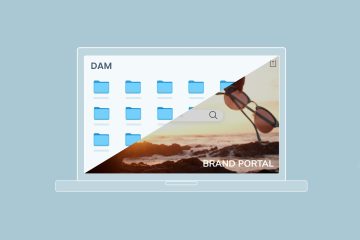
While many companies primarily use SharePoint as an enterprise content management system, focusing on document storage and versioning, integrating Smint.io Portals can transform this platform into a dynamic and branded hub that supports various business needs.
Smint.io Portals simplify maintaining a consistent brand presence and improve document management, enhancing overall user experience.
- Consistent and reusable components: One of the fundamental best practices for branding SharePoint sites is maintaining consistency across all pages. Smint.io Portals makes this process seamless by allowing users to create and apply reusable components.
For instance, a branded header can be designed with specific style options and menu items and then used across all pages. This ensures every page maintains a uniform look and feel, reinforcing the brand identity and creating a cohesive user experience. - Enhanced user interaction: Smint.io Portals elevate user engagement by incorporating interactive components. Instead of merely listing documents in folders, Smint.io allows the addition of search filters and other interactive elements.
This feature enables users to quickly find the information they need without navigating through extensive document libraries. Components like the “Asset Overview” showcase individual assets selected from SharePoint, allowing users to interact with and access detailed pages effortlessly. - Efficient document management: While SharePoint excels in document tracking and management, Smint.io Portals enhances this capability by presenting documents in a more visually appealing and organized manner. Users can create pages that not only store documents but also provide context and additional information about their usage.
By providing a more structured and branded approach to document management, Smint.io Portals improves overall efficiency and user satisfaction. - Simplified IT management: Smint.io Portals simplify the process, reducing the need for extensive IT resources. With Smint.io, even smaller teams can achieve a high level of customization and branding without requiring a large, dedicated IT department or a significant budget.
Conclusion
Incorporating best practices for branding SharePoint sites is essential for creating a cohesive, professional, and engaging user experience. By aligning your SharePoint site with brand guidelines, embracing a clean and simple design, and ensuring responsive functionality, you lay the foundation for a site that reflects your organization’s identity and enhances usability.
Integrating tools like Smint.io Portals further elevates this process by providing consistent branding through reusable components, improving document management, and facilitating enhanced user interactions.
Smint.io’s features simplify the complexities of SharePoint customization, making advanced branding strategies accessible to organizations of all sizes without necessitating extensive IT resources.
Ultimately, effective branding on SharePoint not only reinforces your organization’s identity but also improves user satisfaction and engagement.
By following these best practices and leveraging Smint.io Portals, you can create a SharePoint site that is both visually compelling and highly functional, ensuring a seamless and productive experience for all users.
Read more


Grow your knowledge
Join hundreds of marketing and brand professionals. Keep up-to-date with the hottest news regarding content portals, brand experience and digital touchpoints. Don’t miss out!